Heart to Trace
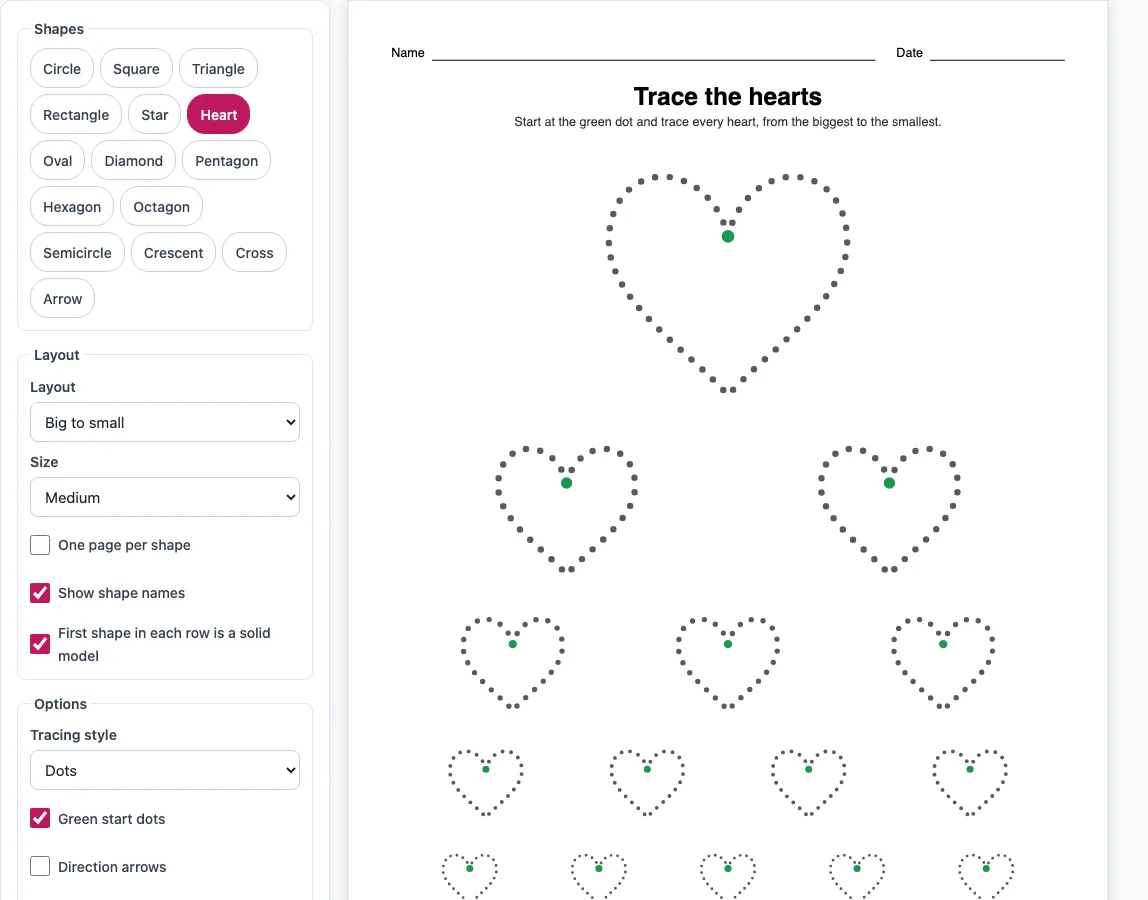
Big and small dotted hearts to trace, each with a green start dot. Print the sheet or save it as a PDF.
Recent
Your last 10 settings, saved only in this browser. Nothing is uploaded.
How to use the Heart Tracing Worksheet Maker
- Check that Heart is selected in the Shapes group. The title reads “Trace the hearts,” and you can edit it if you want your own wording.
- Choose a layout: Big to small, Rows of shapes, Shape mix, or Trace, then draw.
- Pick a size: Large, Medium or Small.
- Choose a tracing style: Dots (the default), Dashes, Grey line or Solid black.
- Tick the extras you want: Green start dots (on by default), Direction arrows, Thick lines (to colour in), Show shape names, One page per shape or Name and date line.
- Set the page direction (Portrait or Landscape) and the paper size (US Letter or A4).
- To add more shapes to the sheet, click the other shape buttons in the Shapes group. Click a selected shape again to remove it; one shape always stays selected.
- Click Print to open the print dialog with only the worksheet pages, or Download PDF to save a file named heart-tracing.pdf.
The preview updates after each change, so you can check the sheet before you print. Copy link gives you a web address that reopens the same settings, so you can return to a worksheet later or share it with someone else. The PDF is a vector file that prints at true size.
How do I make a heart tracing worksheet?
Pick a layout, a size and a tracing style, then print the page or download it as a PDF. The layout decides how many hearts appear and how they are arranged on the page.
Big to small places one large heart at the top, followed by rows of 2, 3, 4 and 5 smaller hearts. At Large or Medium size, that gives one big heart and 14 smaller ones on a single page. Rows of shapes puts hearts in plain rows, and you can tick “First shape in each row is a solid model” so the first heart in each row is a complete example to copy. Shape mix arranges hearts in a grid, and ticking “Show shape names” adds the name under each one. Trace, then draw places traced hearts on the left and empty boxes on the right. Each empty box has only a start dot, so the child draws the heart without a guide.
The tracing style controls how the outline looks. Dots and Dashes leave a line of marks to follow, Grey line is a pale line to trace over, and Solid black gives a clear model to copy. Thick lines make the outline heavier so the hearts can be coloured in afterwards.
Where do I start tracing a heart?
Start at the dip in the middle of the top of the heart, where the green start dot sits. The heart is drawn as one continuous stroke that closes where it started.
The stroke goes counter-clockwise. From the dip, the line moves down and out around the left bump, then down the left side to the point at the bottom. From there it goes up the right side and around the right bump, returning to the dip. Turn on Direction arrows if a child needs to see which way to go. The site draws every closed shape the same way, as one stroke that goes counter-clockwise from the top, so the same rule applies to the circle, star and other closed shapes on the shape tracing page.
Frequently asked questions
Can I trace other shapes on the same sheet?
Yes. In the Shapes group, you can add other shapes, and they are placed on the same sheet as the hearts. At least one shape always stays selected.
Can I colour the hearts in afterwards?
Yes. Tick Thick lines (to colour in) to make the outline heavier, so the hearts can be coloured in after they are traced.
Is the heart for tracing a medical heart trace?
No. Heart tracing can also refer to a medical trace, such as an ECG or heart rhythm trace, but this page is only about tracing a heart shape on paper. It does not give medical information.
What sizes and layouts can I choose?
There are four layouts (Big to small, Rows of shapes, Shape mix and Trace, then draw) and three sizes (Large, Medium and Small). The preview shows the result before you print.
Can I use the worksheets commercially?
Yes. The worksheets you make are royalty-free for personal, classroom and commercial use, including Etsy printables, Teachers Pay Teachers, KDP workbooks and print-on-demand. No credit is required, and the only thing you may not do is copy the generator itself to run a competing service.
Does the PDF print at true size?
Yes. Download PDF builds a vector PDF that prints at true size. Choose US Letter or A4 before you download to match your paper.
Is anything I set up sent to a server?
No. Everything runs in the browser, and nothing is uploaded.
Related tools
- Shape tracing worksheets: Use this for the other 14 shapes and the layouts that go with them.
- Circle tracing worksheets: Use this when you want a round shape practice sheet.
- Cut and paste worksheets: Use this when children should cut out shapes and stick them down.
- Tracing lines worksheets: Use this for straight, wavy and zigzag line practice before shapes.
- Pre writing tracing worksheets: Use this to build the pencil control needed for letters and numbers.
- Preschool tracing worksheets: Use this for younger children who are starting with simple tracing.
- Cutting practice worksheets: Use this to practise scissor skills on printed shapes.